Table of Contents
Access
How to access
- Use your OHIO login to access classroom computers. For a list of spaces supported by OIT, please visit our Technology Finder.
How to request access
-
No request needed to use the classroom technology package. To access the computer, you must log in with your OHIO ID and password.
-
To request a document camera, microphone, or to have a licensed application installed on the room computer, please contact the IT Service Desk.
Technology Packages
Technology packages are available in classroom to provide computer access, display projection, and sound. The table below summarizes the technology available in spaces according to size and room capacity, and provides user guides for each technology. Variation of equipment may be present due to availability at time of purchase.
| |
Small Space (1-24) |
Medium Space (25-98) |
Large Space (99+) |
|
Desktop Computer
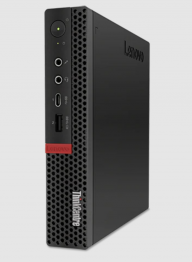
Lenovo ThinkCentre M720q Intel Core i5 8th Generation
|

|
|
|
|
Monitor
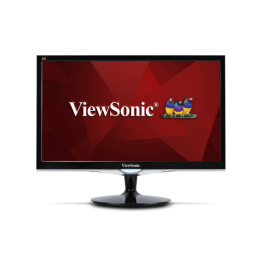
ViewSonic VX2252mh 22" Full HD LCD WideScreen
|
|
|
|
|
Control Unit
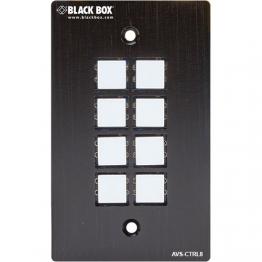
Black Box Table-Top Button Controller AVS-CTRL8
|
|
|
|
|
Control Unit
Crestron MPC3-101
|
|
|
|
|
Projector
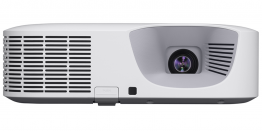
Casio XJ-F211WN HDMI Laser Projector
|
|
|
|
|
Projector
Epson PowerLite L260F 1080p 3LCD Lamp-Free Laser Display Projector
|
|
|
|
|
Wireless Presentation
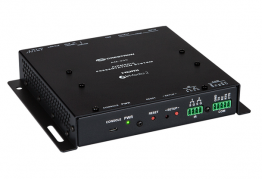
Crestron AirMedia AM-200 Wireless Projection (how to connect)
|
|
|
|
|
Audio
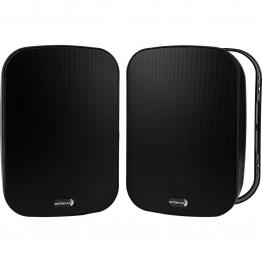
Dayton Audio IO525B 5-1/4" 2-Way Indoor/Outdoor Speakers
|
|
|
|
|
Webcam
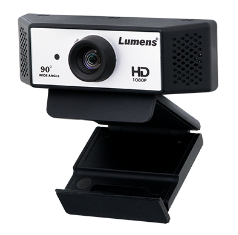
Lumens VC-B2U Full HD 90° FOV Webcam
|
|
|
|
|
Presentation Clicker
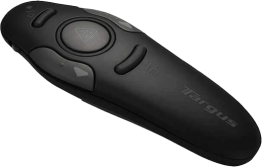
Targus Wireless USB Presenter with Laser Pointer AMP16US
|
|
|
|
|
Extended Microphone
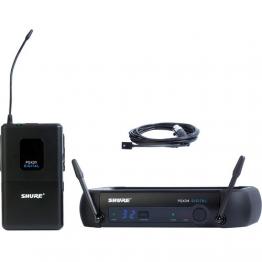
Shure PGXD14/93 Digital Wireless Omni Lavalier Microphone System (900 MHz)
|
|
|
|
Optional Hardware
Get Help From OIT